Department Overview tab
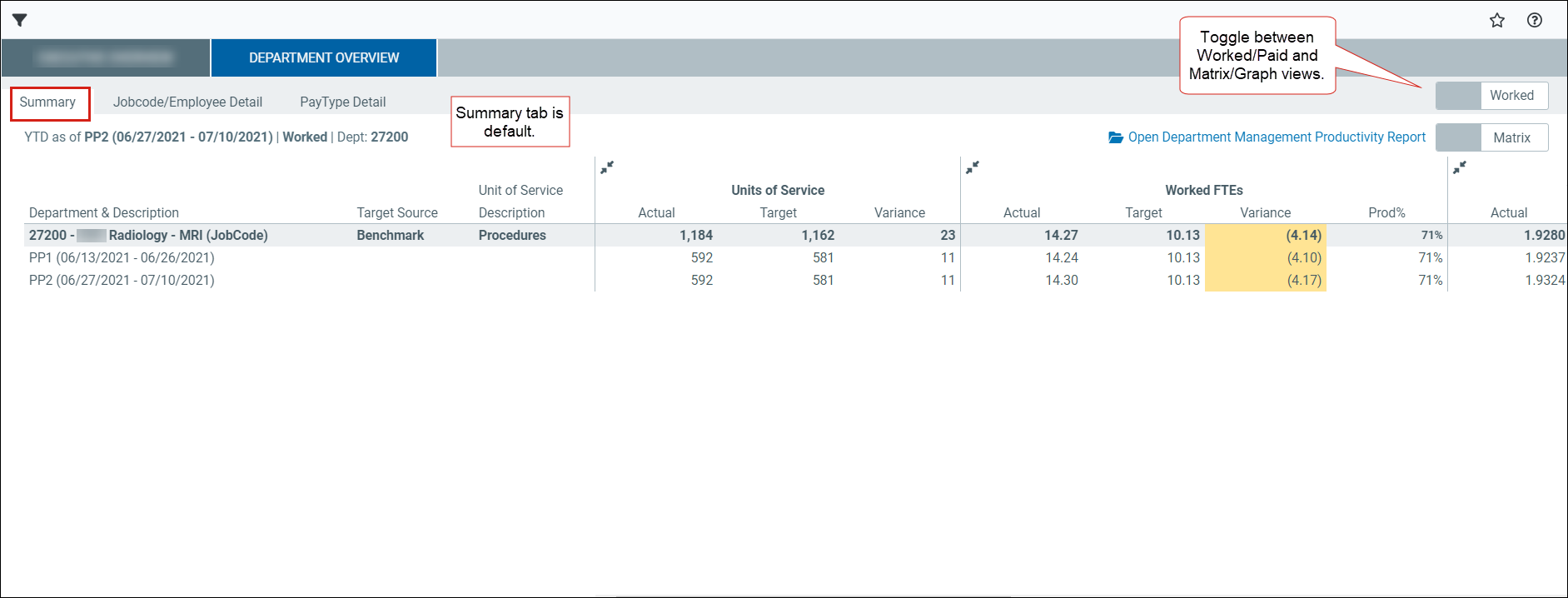
The Department Overview tab shows productivity, staffing, and labor cost data for the selected department. Use this tab to review performance by pay period and compare actual results to budget and targets.
The default view is the Summary tab in matrix view. You can switch to Graph view to see trends.
Open the Department Overview tab based on your user permissions.
Admin
User role requirement:
-
Productivity Admin
-
Go to Admin > Admin Task Panes > Productivity Admin > Bi-Weekly Productivity Reports > Department Management Productivity Dashboard
-
Select the refresh variables in the Filters panel.
TIP: Update the data any time by changing the refresh variables.
Non-admin
User role requirement:
-
Productivity User
-
Report Subsystem Permissions
-
Go to Main > Open App Menus > Productivity Management > Bi-Weekly Productivity Reports > Department Management Productivity Dashboard
-
Select the refresh variables in the Filters panel.
TIP: Update the data any time by changing the refresh variables.
The Department Overview tab includes the following sub-tabs:
